Limited-Time Special Offer: Get Exclusive Lifetime Deal Now!
Bookkeeping Client Onboarding Checklist Template
The ultimate bookkeeping client onboarding checklist template is designed to assist you with new clients. It's perfect for bookkeepers aiming for growth and scalability.
Get Started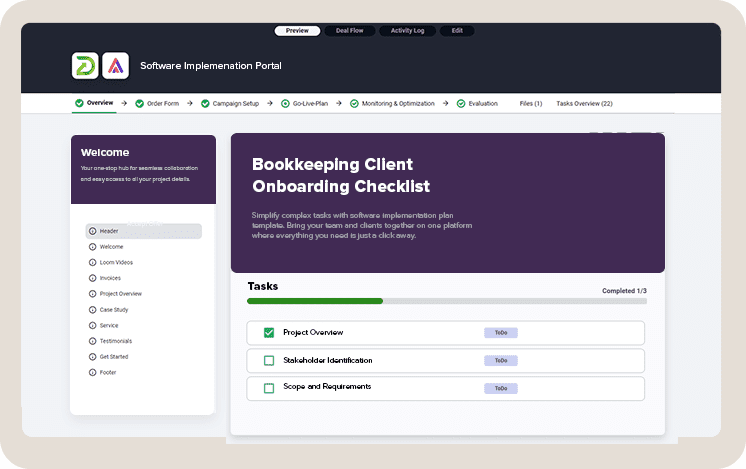
Onboarding new clients for Bookkeeping service involves a series of challenges, such as collecting all necessary data, gaining access to various accounts, and negotiating service prices, among others.
This critical phase requires attention to detail, effective communication, and a deep understanding of each client's unique financial needs.
To simplify the process for both you and your clients, it's a good practice to create an client onboarding checklist template. This way, you can follow a predefined process for each new client.
In this article, we will present a bookkeeping client onboarding checklist. You can use it as part of our onboarding portal or simply as guidelines for your next client onboarding.
Simplify Your Onboarding Today!
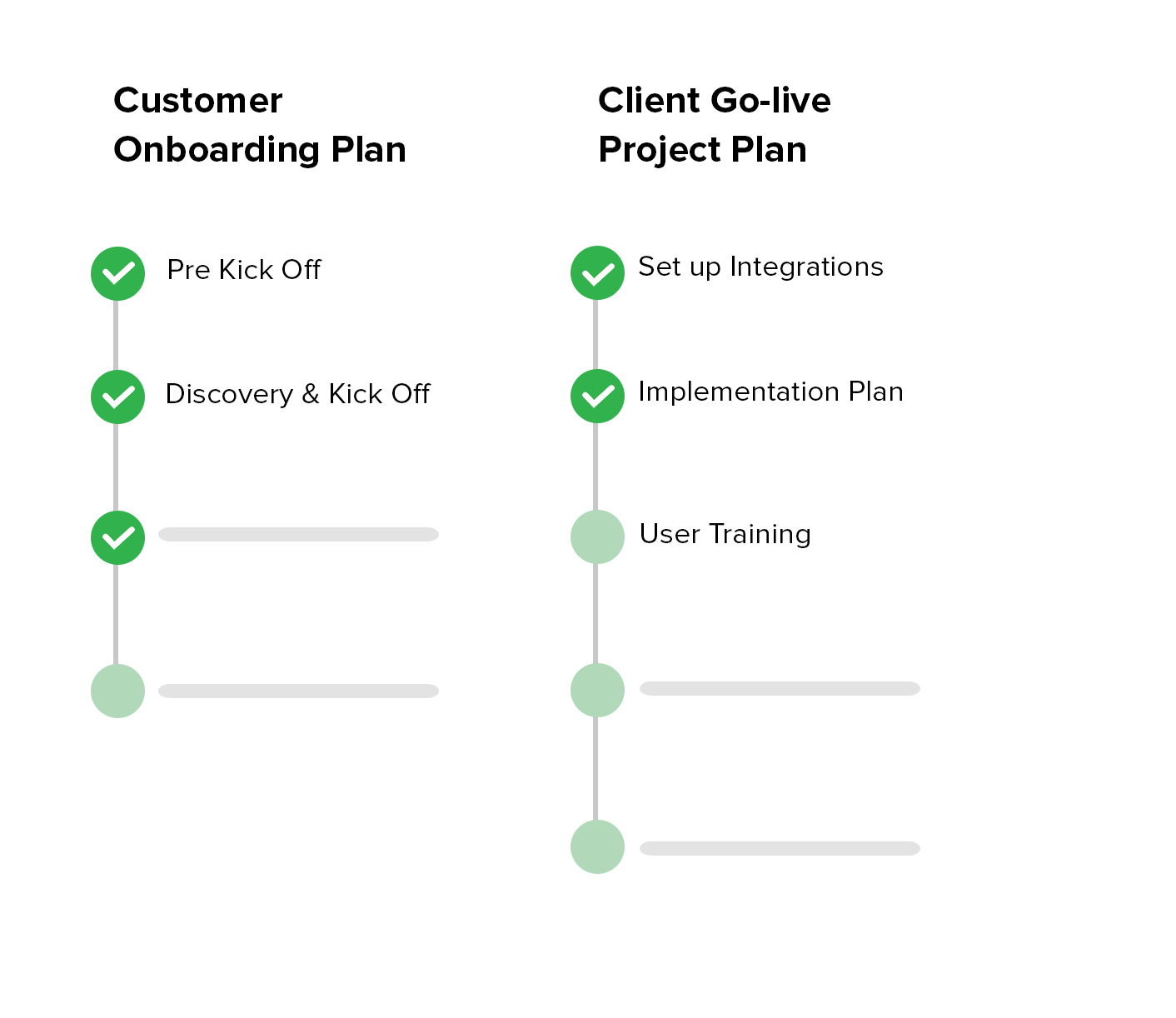
Establish a collective action plan with your clients to navigate the process to its final stages faster.
Bookkeeping Client Onboarding Checklist
Following this checklist allows bookkeeping professionals to directly address common challenges and ensures that new client onboarding is as seamless and efficient as possible, creating the foundation for a productive and mutually beneficial relationship.
Phases included in this template:
- Initial Consultation
- Questionnaire
- Documentation Collection
- Account Access
- Data Review and Cleanup
- Software Setup or Migration
- Educational Session
- Feedback Loop
Initial Consultation
Conduct a meeting to understand the client's business model, financial goals, and specific bookkeeping needs.
Goal of this meeting is to ensure that both the bookkeeper and the client enter the partnership with clear expectations and a mutual understanding of the path forward.
These early interactions are crucial, as they form the bedrock upon which a lasting and positive partnership will be built.
In this meeting, you should discuss the scope of services to be provided and any special requirements.
Prepare an Agenda . Outline the topics to cover before the meeting, including the scope of bookkeeping services, client's business model, financial goals, and any immediate concerns. Bookkeeping client questionnaire will help you to collect all necessary data.
The first topic should be to discuss the scope of bookkeeping service.
Clearly define what bookkeeping services will be offered.
- Monthly reporting,
- Payroll management,
- Invoicing,
- Tax preparation.
Identify software and tools. Determine what accounting software the client uses or prefers, discussing any potential need for changes or upgrades.
Follow Up: After the meeting, send a summary of what was discussed, including next steps and any documents or information the client needs to provide. This reinforces the client's understanding and agreement with the proposed plan.
Bookkeeping Client Onboarding Questionnaire
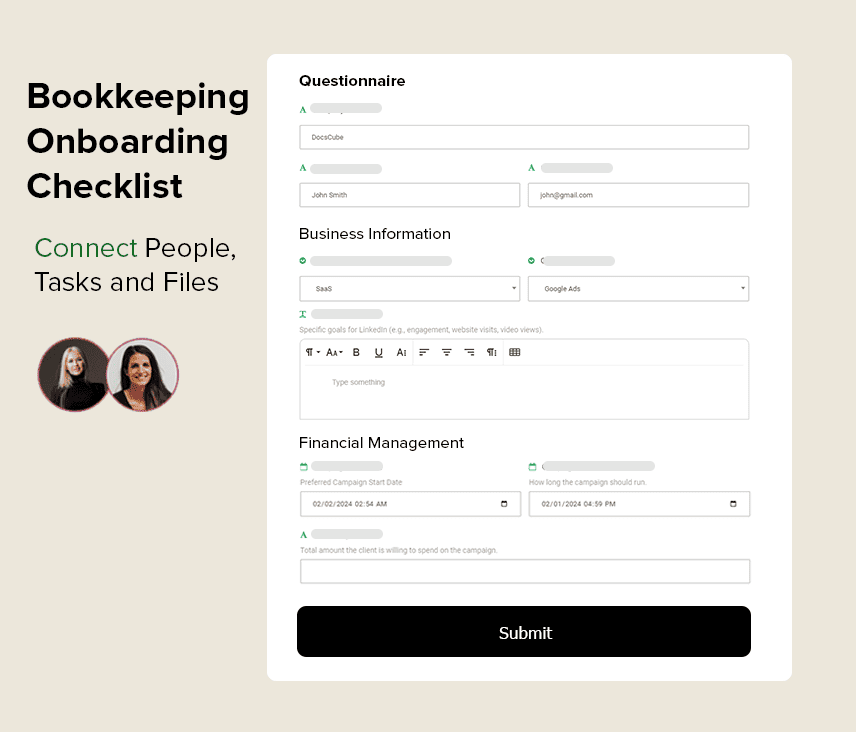
Creating a comprehensive bookkeeping client onboarding questionnaire is essential for gathering all necessary information to begin the bookkeeping process efficiently.
This questionnaire aims to cover all crucial aspects of your new client's business and financial management, providing a solid foundation for your bookkeeping services.
Questions and fields in client onboarding form:
Onboarding Questionnaire
Business Information
- Legal name of your business
- Business registration number/tax ID
- What industry does your business operate in?
- How many years has your business been operational?
Financial Management
- What accounting software do you currently use?
- Are you looking to switch or upgrade your current accounting software?
- Do you have any preferred methods for tracking expenses and income?
- How do you currently manage invoices and receipts?
Banking and Transactions
- Can you list all the bank accounts associated with your business?
- Who has access to these accounts?
- How frequently do you reconcile your bank accounts?
- Do you use credit cards for business expenses?
Payroll and Employees
- How many employees do you have?
- Do you use a payroll service? If so, which one?
- Are there any contractors or freelancers working for your business?
Tax Information
- When is your fiscal year-end?
- Who currently prepares your business taxes?
- Have you ever been audited by the IRS or any other governmental body?
Financial Reporting and Goals
- What financial reports do you need, and how often?
- Are there any specific financial goals you're aiming to achieve this year?
- Do you have a budget in place for the current fiscal year?
Challenges and Pain Points
- Have you faced any significant bookkeeping or financial challenges in the past?
- Are there any areas of your financial management you're particularly concerned about?
Expectations from the Bookkeeping Service
- What prompted you to seek bookkeeping services?
- What are your expectations from this partnership?
- How would you like us to communicate with you, and how often?
Documentation and Access
- Will you be able to provide access to necessary financial documents and software?
- Who will be our main point of contact for financial matters?
Additional Questions:
- Are you covered by HIPAA rules?
- Do you need to pay sales tax, and where?
- What is your approximate monthly or annual revenue?
- Do you have any W2 employees or 1099 contractors?
- Do you need help with billing or payments?
- Are your financial records current or behind?
Documentation Collection
This phase involves gathering all necessary financial documents and records from the client to ensure a comprehensive understanding of their financial status.
Create and share a detailed list of required financial documents with the client. This list typically includes previous tax returns, bank statements, invoices, payroll records, and any other relevant financial documents. .
List of documents:
- Previous tax returns
- Bank statements
- Invoices and receipts
- Payroll records
- Financial statements (balance sheets, income statements)
- Loan agreements
- Lease agreements
- Inventory lists
- Business registration and licenses
Prompt Follow-up: Promptly follow up on any missing documents or information to keep the onboarding process moving forward without unnecessary delays.
Account Access
This stage is dedicated to establishing secure access to the client’s financial accounts and systems, which is crucial for conducting thorough and accurate bookkeeping and financial analysis.
Identify necessary accounts and systems the bookkeeper needs access to, such as bank accounts, credit card accounts, payroll services, and any accounting software the client uses.
Access Minimization: Request only the access necessary to perform bookkeeping tasks, respecting the client’s privacy and data integrity.
Data Review and Cleanup
After gaining access to the client's financial systems and documents, bookkeepers must thoroughly examine the existing data to identify and rectify any inaccuracies, inconsistencies, or gaps.
Conduct a comprehensive review of the client's financial records, including transactions, balances, and categorizations, to assess their accuracy and completeness.
- Review bank and credit card transactions for accuracy
- Check ledger entries for duplications or omissions
- Assess accounts receivable and payable for outstanding items
- Examine payroll records for completeness
- Verify inventory records against physical counts
- Scrutinize tax filings and payments for compliance
- Analyze expense categorizations for correctness
- Confirm loan and interest entries are up to date
- Inspect asset registers for accuracy and depreciation calculations
- Ensure equity accounts reflect accurate owner contributions and distributions
Set a Regular Cleanup Schedule: Establish a routine for periodic data reviews and cleanups to maintain the integrity of the financial records over time.
Software Setup or Migration
This phase focuses on either setting up new bookkeeping or accounting software for the client or migrating their financial data to a new system.
If the client doesn’t already have suitable software, select the most appropriate system based on their business needs, size, and specific financial management requirements.
Set up the chosen software, customizing settings, chart of accounts, and reporting templates to align with the client's business operations and financial reporting needs.
For clients moving to a new system, carefully plan and execute the migration of financial data from the old system to the new one. This includes mapping accounts correctly and ensuring historical data is accurately transferred.
Educational Session
This phase focuses on providing tailored training that addresses the specific needs of the client, ensuring they are comfortable and confident in managing their financial tasks.
Evaluate the client's familiarity with the bookkeeping software and their understanding of basic financial concepts to tailor the training content accordingly.
Create or customize training materials, such as guides, tutorials, and videos, that are easy to understand and relevant to the client's business operations.
Feedback Loop
This phase focuses on establishing ongoing communication channels for clients to share their experiences, concerns, and suggestions regarding the services they receive.
The goal is to create a dynamic environment where continuous improvement is encouraged, and client satisfaction is regularly monitored and addressed.
Benefits of Using Accounting and Bookkeeping Client Portal
The simple answer is that you can onboard more customers in less time with fewer errors. This will enable your business to scale and grow faster.
The simple answer is that you can onboard more customers in less time with fewer errors. This will enable your business to scale and grow faster.
List of benefits:
Portals represent a modern, flexible, and significantly more effective approach to managing software project implementation plans.
Here's why they stand out:
- Never miss deadlines: Create task deadlines and automate your Bookkeeping reminders.
- Saves Time: Reduces the time spent on repetitive tasks and questions.
- Streamlines Processes: Ensures a consistent, efficient approach to onboarding new clients.
- Identifies Needs Early: Helps understand client requirements and expectations from the start.
- Builds Trust: Demonstrates professionalism and commitment to quality service.
- Improves Client Experience: Offers a smooth, organized introduction to your services.
Get Bookkeeping Client Portal With Onboarding Checklist
Boost your productivity with our easy-to-use client portal. Bring your team and clients together on one platform where everything they need is just a click away.