Limited-Time Special Offer: Get Exclusive Lifetime Deal Now!
Joint Execution Plan Template
Joint execution plan cultivates mutual understanding among partners and unites diverse teams to efficiently achieve shared goals.
Get Started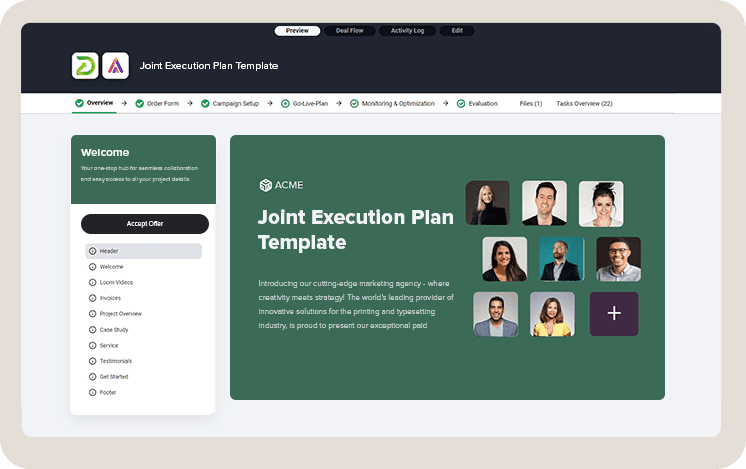
A Joint Execution Plan (JEP) is essential for turning collaborative project concepts into tangible results. It's about structure, efficiency, and clarity—keys to professionalism and successful partnership outcomes.
- Efficiency
- Professionalism
- Framework
- Onboarding
Designed for direct application, this joint execution plan template navigates the complexities of partner coordination, emphasizing critical areas:
- Reducing repetitive work to free up valuable time
- Guaranteeing professional standards in execution
- Establishing a robust framework for inclusive stakeholder engagement
Core Advantages
- Saves significant time on coordination and planning
- Clarifies all roles to prevent overlap and confusion
- Enhances communication , making collaboration more effective
Application Highlights
- Precision: Targets the essence of collaboration with straightforward clarity.
- Customization: Adapts to the specific dynamics of each partnership.
- Completeness: Ensures every phase, from initiation to closure, is covered.
Impact
A joint execution plan cultivates mutual understanding among partners and unites diverse teams to efficiently achieve shared goals.
Who This Template is Best Suited For
This template is tailored for leaders in project management, team coordination, and strategic planning . It's a comprehensive tool for handling collaborations across various sectors, from forming strategic partnerships to managing joint social media campaigns.
- Project Managers
- Team Leaders
- Business Strategists
- Joint Ventures
- Strategic Alliances
- Social Media Campaigns
Beyond these core audiences, the template also serves professionals in:
- Non-profit collaborations aiming for social impact
- Tech startups seeking partnerships for innovation
- Educational institutions working on collaborative research projects
- Government entities looking to partner with private sectors
- Event organizers coordinating large-scale, multi-organizational events
The use cases extend across various domains, offering guidance on:
- Structuring agreements for technology sharing and co-development
- Planning and executing co-marketing campaigns
- Managing cross-sector partnerships for sustainable development
- Coordinating joint research and development (R&D) efforts
- Overseeing mergers and acquisitions from a project management perspective
This versatility makes the template an essential asset for professionals seeking to enhance collaboration, align goals, and drive collective success across a wide range of projects and partnerships.
Key Elements
- Warm Welcome: Initiating with a personalized welcome, setting a positive tone for collaboration.
- Detailed Onboarding Questionnaire: Facilitates the collection of critical information regarding business goals, target outcomes, and key stakeholders' expectations.
- Access Checklist: Outlines essential tools, accounts, and permissions necessary for managing the project effectively.
- Strategic Action Plan: Presents a timeline and strategy, ensuring all parties are aware of their responsibilities and deadlines.
- Monitoring and Reporting Framework: Details on tracking progress and measuring success, tailored to the needs of all stakeholders
Additional Steps for Project Implementation:
- Regular Check-Ins and Adjustments: Continuous progress tracking and flexible plan adaptation.
- Risk Management Plan: Proactive identification and mitigation of potential project risks.
- Stakeholder Engagement Plan: Strategies to keep all stakeholders informed and involved.
- Closure and Review: Formal project completion and evaluation for lessons learned.
With DocsCube mutual action plan template you'll be equipped to launch your collaborative projects efficiently, enhancing user experience and fostering a successful partnership.
The Challenge: Crafting and Implementing a Joint Execution Plan
Developing a Joint Execution Plan amidst the intricacies of collaborative efforts poses its unique set of challenges. From aligning diverse organizational objectives to ensuring seamless communication across teams, the task requires precision, foresight, and adaptability.
Initiating joint execution plans often feels like navigating complex territory. The main challenge is coordinating the vast details and tasks required for effective collaboration.
Project managers and team leaders are frequently overwhelmed by the synchronization of information and activities needed.
Setting up and managing joint execution plans can start off seeming simple. Yet, minor issues can quickly grow into significant obstacles, complicating access to vital information, tracking progress, and maintaining a unified strategy.
Common pain points include:
- Coordination Complexity: Aligning all project details, from objectives to roles, is daunting and time-consuming.
- Resource Access: Securing necessary access to tools, platforms, and information can delay project start
- Communication Hurdles: Developing a clear and consistent communication strategy with all stakeholders is challenging when managing multiple partners.
Common pain points include:
- Identifying objectives and deliverables
- Gathering essential project scope and stakeholder information
- Developing project plans and timelines
- Sharing critical documents and resources
- Establishing project management and communication tools
- Defining roles, responsibilities, and contacts
- Organizing kick-off and regular update meetings
- Setting up tracking and reporting systems
This process can lead to disorder, with data scattered across emails, shared drives, and project management software, impacting productivity and stakeholder relationships.
The Solution: DocsCube Joint Execution Plan Template
Launching joint projects doesn’t need to be overwhelming.
This Joint Execution Plan Template acts as a comprehensive solution, moving you and your partners smoothly from initiation to project launch and evaluation.
This process can lead to disorder, with data scattered across emails, shared drives, and project management software, impacting productivity and stakeholder relationships.
With this template, you can standardize your approach, establish a welcoming message, utilize detailed checklists, manage access permissions, and lay out the entire project's framework .
It clarifies each phase of the project, ensuring you know the exact steps and timings, enhancing the process while upholding professionalism.
Essential for project managers and team leaders, this template reduces time spent on manual coordination and fosters a secure, collaborative environment for all parties involved.
It clarifies each phase of the project, ensuring you know the exact steps and timings, enhancing the process while upholding professionalism.
Use the Joint Execution Plan Template to:
- Enhance teamwork and enrich the partner experience.
- Simplify onboarding for quicker progress and goal achievement.
- Improve communication clarity, minimizing misunderstandings.
- Optimize resource use, ensuring efficient effort application.
- Elevate outcomes with strategic, coordinated actions.
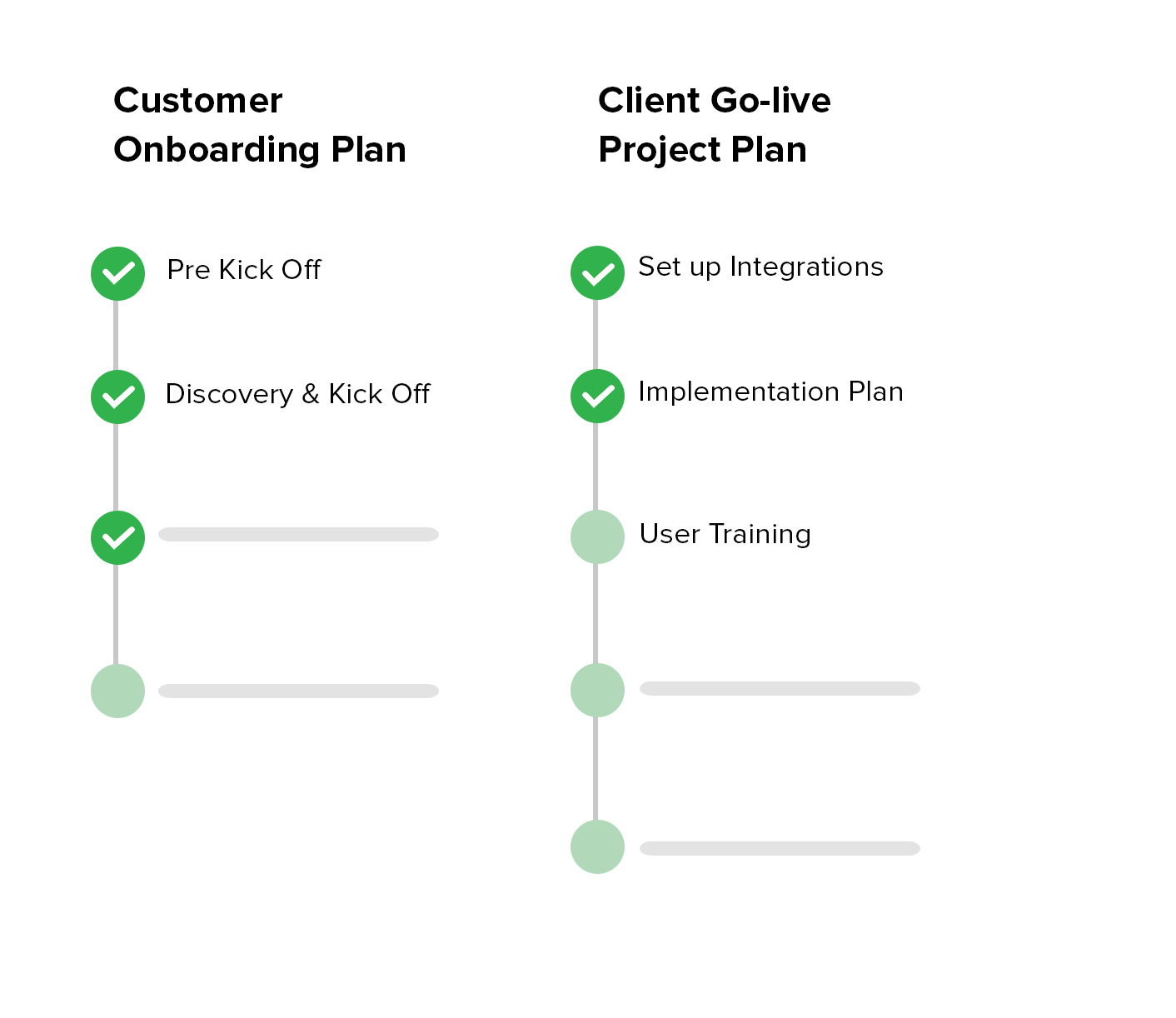
Create Joint Execution Plan Template, Always Know What is The Next Step
Establish a collective action plan with your buyers to navigate the process to its final stages faster.
Joint Execution Plan Template Breakdown
Our Joint Execution Plan Template outlines key steps and areas crucial for your project's success, highlighting essential components for effective collaboration and strategic planning.
Welcome Introduction
The Joint Execution Plan Template starts with a Warm Welcome Introduction, ensuring the start of your project is both engaging and informative. Here's what it includes:
- Personalized Welcome Message: A greeting that sets a positive tone for the upcoming collaboration.
- Collaboration Process Guide: This provides a clear outline of the collaborative steps.
- Immediate Clarifications FAQs : A handy resource for quickly addressing any initial questions.
This introductory section is crafted to lay a solid foundation of trust and cooperation, facilitating a seamless transition into the project's strategic execution.
Detailed Onboarding Questionnaire
Diving deeper, our custom built web form employs a thoughtfully designed questionnaire to gather critical information about your project's goals, desired outcomes, and the expectations of key stakeholders.
Questions include:
- Project Overview: Can you provide a brief overview of your project?
- Project Goals: What are the primary objectives you aim to achieve with this project?
- Desired Outcomes: What specific outcomes are you looking to achieve?
- Key Stakeholders: Who are the key stakeholders involved in this project?
- Role and Responsibilities: Could you outline the roles and responsibilities of the project team members?
- Timeline Expectations: What is your anticipated timeline for this project?
- Communication Preferences: How do you prefer to communicate during the project (e.g., email, video calls, project management tools)?
- Success Metrics: How will you measure the success of this project?
- Potential Challenges: Are there any potential challenges or obstacles you foresee?
- Resource Requirements : What resources (e.g., tools, information, access) will you need from us to facilitate your project effectively?
This in-depth questionnaire ensures that you capture all necessary details to tailor your Joint Execution Plan to the unique aspects of your project, setting the stage for a successful collaboration.
Remember, the whole template can be easily customized to better fit the unique requirements of your project, enhancing its relevance and effectiveness.
This introductory section is crafted to lay a solid foundation of trust and cooperation, facilitating a seamless transition into the project's strategic execution.
This introductory section is crafted to lay a solid foundation of trust and cooperation, facilitating a seamless transition into the project's strategic execution.
Access Checklist
The Joint Execution Plan Template features an Access Checklist, essential for project management. It lists vital tools, accounts, and permissions your team needs right from the start.
Preparing this checklist ensures all team members have immediate access to necessary resources, supporting a smooth workflow and avoiding potential obstacles.
Plus, the checklist is fully customizable to meet your project's unique requirements, making it easy to adjust as needed.
- Identify Essential Tools: List all software, platforms, and tools necessary for the project.
- Account Access Requirements: Determine which accounts need to be accessed by different team members.
- Permission Levels: Define the required permission levels for each tool and account to ensure team members have adequate access.
- Secure Sharing: Establish a secure method for sharing access credentials while ensuring data protection compliance.
- Verification Process: Implement a process for team members to confirm access and functionality of tools and accounts.
- Access Troubleshooting: Set up a protocol for quickly addressing any access issues encountered by team members.
- Regular Updates: Schedule periodic reviews of access needs to add, remove, or update permissions as the project evolves.
The Joint Execution Plan Template features an Access Checklist, essential for project management. It lists vital tools, accounts, and permissions your team needs right from the start.
Strategic Action Plan
The template provides a strategic action plan that details the project's timeline, key milestones, and responsibilities. This ensures everyone is on the same page, clear on their roles, and focused on deadlines, guiding the project to success.
Tasks
- Define Project Timeline: Establish a clear timeline with start and end dates.
- Identify Key Milestones: Mark critical points in the project that indicate progress.
- Assign Responsibilities: Allocate tasks and roles to team members.
- Schedule Checkpoints: Set regular meetings to review progress and adjust plans as needed.
- Communicate Deadlines: Make sure all team members are aware of and agree on key dates.
- Monitor Progress: Implement a system to track progress against the plan.
- Update Plan: Revise the action plan based on feedback and changes in the project scope.
This task list is designed to keep your project on track and ensure successful completion.
Monitoring and Reporting Framework
Set up your monitoring and reporting framework with a customizable drag-and-drop workflow automation builder to tailor project tracking.
Choose metrics that align with your goals and configure alerts for essential milestones or areas needing attention.
Automate reports to keep stakeholders regularly informed, and easily adjust workflows to adapt to daily changes. Regularly review progress to ensure you're on track and share updates efficiently through the automated system. This setup also supports agile project management, allowing quick adaptations to any challenges.
Additional Steps for Project Implementation:
- Regular Check-Ins and Adjustments: You have the ability to schedule regular sessions for tracking progress and making any necessary adjustments. This approach allows you to maintain flexibility in your plan, adapting to any changes or challenges that may arise during the project lifecycle.
- Risk Management Plan: Our template incorporates a proactive risk management plan, giving you the ability to identify potential risks early on so you can outline strategies for their mitigation. You can customize the risk management webform to fit your project needs and automatically share reports with all stakeholders.
- Stakeholder Engagement Plan: To keep all stakeholders engaged and informed, you have a strategic plan detailing the methods and frequency of communication. This ensures that everyone involved has a clear understanding of the project's status and can provide timely feedback, fostering a collaborative environment.
- Closure and Review : Upon project completion, you are able to conduct a formal review session to evaluate the outcomes against initial goals. This process allows you to capture lessons learned, celebrate successes, and identify opportunities for improvement, setting a precedent for future collaborative endeavors.
FAQs (Frequently Asked Questions)
A Joint Execution Plan is a structured framework essential for transforming collaborative project concepts into tangible results. It focuses on efficiency, professionalism, and strategic clarity, serving as a guide for successful partnership outcomes.
The template caters to project managers, team leaders, and business strategists involved in various collaborative endeavors, spanning from joint ventures in the corporate sector to collaborative projects in social media campaigns.
The template saves significant time on coordination and planning, clarifies all roles to prevent overlap and confusion, and enhances communication, making collaboration more effective. Additionally, it fosters teamwork, simplifies onboarding for quicker progress, and optimizes resource utilization, ensuring efficient effort application.
Get Joint Execution Plan Template
Boost your sales with our easy-to-use portal software. Bring your team and clients together on one platform where everything they need is just a click away.
80%
Less time spent on onboarding materials creation
Portal Builder
Custom Forms
Tasks & Boards